
HD Video Player & Media Player
Infinity Tech SystemsVideo Players & Editors
4.878.00 Reviews
- Version
- 5.1
- Installs
- 100.00K
- Age Rating
- Everyone
Screenshots
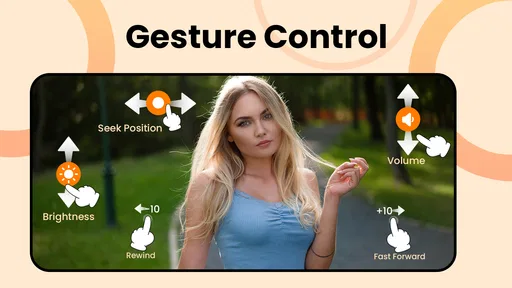
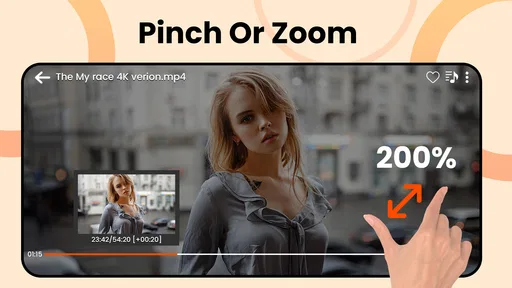
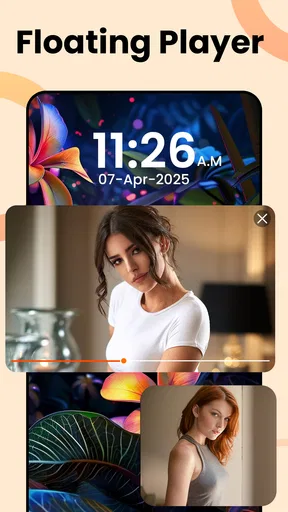
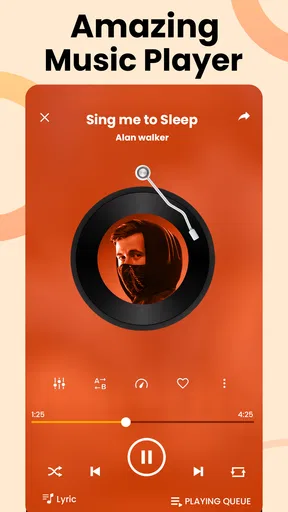
Our Review of HD Video Player & Media Player
 Analysis by Appyee
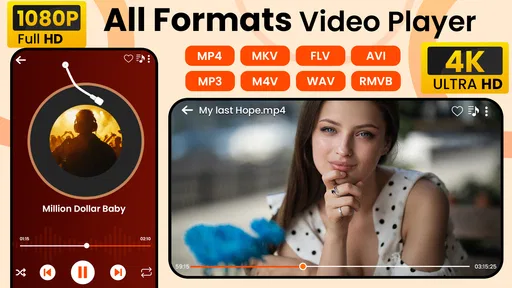
I usually judge a media player by one simple question: does it make watching a file feel easier, or does it add another layer of fiddling? HD Video Player & Media Player caught my attention because its central promise is broad format playback combined with an equalizer and smooth playback. That combination matters more than it may sound. A player that opens more of the videos already stored on a phone can save the annoying search for a converter, while an equalizer can make a bigger difference than a small visual upgrade when listening through basic phone speakers or headphones.
After spending time with it, I see this free video players and editors app from Infinity Tech Systems as a practical choice for people who want one place for everyday video and music playback. It is not trying to replace a full editing suite, a streaming subscription, or a carefully curated music service. Its value is more direct: open your own media, choose something to watch or hear, and adjust the experience without needing a complicated setup. The average rating of 4.8 from around 759 ratings suggests that this straightforward approach is working well for many users, although a rating alone cannot tell you whether its controls match your habits.
Why format support and equalizer control make the difference
The most important capability here is not simply that the app plays video. Many phones already include a basic player. The useful distinction is the attempt to handle a wide range of video and music formats while also giving the listener control over sound. In daily use, that means the app can serve as a central playback tool instead of forcing you to switch between a gallery, a file manager, a music app, and a separate audio utility.
That matters particularly when your media collection is mixed. A downloaded lecture, a family recording, a music clip, and a locally saved film may not have been created in the same way. With a basic player, an unsupported file often leads to a frustrating error or a search for another application. A format-focused player reduces that interruption. I found the idea most useful for personal files rather than online content: videos transferred from another device, recordings saved for travel, and music kept locally for situations where streaming is inconvenient.
The equalizer is the other capability worth paying attention to. It is easy to treat an equalizer as a decorative extra, but its real effect is practical. A voice recording can benefit from clearer midrange, while music that sounds thin through a phone speaker may feel fuller after a modest adjustment. The important word is modest. Pushing every slider high does not create better sound; it usually makes playback harsh or muddy. I recommend starting with small changes and comparing the result with the original instead of assuming the strongest setting is the best one.
The real strength is flexibility at the moment you press play. You do not need to decide in advance which app should handle every file. That is especially helpful for people who receive media through messaging apps, move files between phones, or keep a personal collection outside a streaming service. The trade-off is that flexibility can make the interface feel less focused than a dedicated music player or a polished streaming app.
How the playback experience works in practice
My preferred way to use this kind of player is to treat it as a local media shelf. I first identify the file I want, open it in the player, and then use the sound controls only when the listening environment calls for them. That workflow keeps the app useful without turning every viewing session into a technical exercise. If I am watching a dialogue-heavy recording, I want clarity. If I am listening with headphones, I may want a gentler tonal adjustment. If I am simply checking a short clip, I leave the sound alone.
The broad format approach is also useful when a file comes from an unfamiliar source. Instead of converting it immediately, I would try opening it in this player first. That can save storage space and time, particularly when a large video would otherwise need to be duplicated in another format. It is a small workflow improvement, but it is one of the more meaningful reasons to install a separate media player.
There is a practical habit I recommend: keep the original file untouched and use the player as the testing point. If a video opens correctly, you have avoided unnecessary conversion. If it does not behave as expected, you can then decide whether the issue is the file itself or whether another player is better suited to it. This approach prevents a common mistake—converting an entire collection before knowing whether conversion was needed at all.
For music, the equalizer should be approached as an environment tool rather than a permanent “better sound” button. In a quiet room, a neutral setting may preserve more detail. On a noisy commute, a small lift in the frequencies that help vocals stand out may make speech easier to follow. Through a phone speaker, excessive bass can be disappointing because the hardware cannot reproduce it cleanly. The best result often comes from reducing distracting frequencies rather than boosting everything.
The app’s smooth-playback positioning is most valuable when the alternative is a player that hesitates, refuses a file, or makes you wait through repeated loading behavior. I would not interpret that promise as a guarantee that every demanding file will play perfectly on every phone. Playback still depends on the device, the file, and the available system resources. What the app offers is a sensible first choice for testing ordinary local media before reaching for a more specialized tool.
A realistic everyday scenario: preparing media for a trip
Imagine I am preparing for a flight or a long train journey. I have a few personal videos, a downloaded concert recording, and several audio files saved on my phone. I do not want to install a different player for each item, and I do not want to spend the evening converting files that may already be usable. This is where HD Video Player & Media Player makes the most sense to me.
I can use it as the first playback option for the whole group, checking the videos before leaving home. If one recording sounds too quiet through headphones, I can make a restrained equalizer adjustment before the journey rather than discovering the problem in a noisy carriage. If another file opens normally, there is no reason to process it again. This preparation workflow is more valuable than any single visual feature because it reduces uncertainty before the media is needed.
There is also a useful storage trade-off in this scenario. Avoiding unnecessary conversion means avoiding extra copies, which can matter on a phone with limited free space. At the same time, I would still keep an eye on storage because a media player does not make large files smaller. The app helps with playback choices; it is not a substitute for organizing or cleaning a crowded device.
For parents, students, and people who keep instructional material offline, the same approach can be convenient. A recorded lesson may need clearer speech, while a demonstration video may need ordinary playback without distractions. The app is well suited to that “open and watch” pattern. It is less suitable if the main goal is to edit clips, add captions, cut scenes, or produce a finished video, because its identity is playback rather than creation.
The trade-offs behind an all-purpose player
The first limitation is focus. A broad player can be more convenient than several narrow apps, but it may not offer the depth that specialists provide. Someone deeply invested in music organization may prefer an application built around playlists, library management, discovery, and synchronization. Someone who watches online services most of the time may gain little from a local-file player. Someone editing content will need a proper editor rather than a playback utility.
The second trade-off is control versus simplicity. An equalizer is helpful when you know what problem you are trying to solve, but it can confuse users who only want a play button. My advice is to leave the sound neutral at first. Change one part at a time, listen for a clear improvement, and return to the original setting if the result becomes tiring. This is a better workflow than copying an aggressive adjustment from someone else, since headphones, speakers, and hearing preferences vary widely.
Another point to consider is that “all formats” should be understood as a reason to try the app, not as a promise that every unusual file will behave identically. Media files can differ in ways that are invisible to a casual user, and older or less capable devices may struggle with demanding content. If a particular professional, high-resolution, or unusual file is critical to your work, I would keep a second player available rather than relying on one app as the only option.
The free price makes experimentation easy, but in-app purchases range from $12.99 to $38.99 per item. That does not automatically make the app poor value, yet it does mean I would pay attention to what becomes available without paying and what is connected to an optional purchase. For a person who only needs straightforward playback, the free starting point is attractive. For someone considering paid features, the sensible approach is to test the everyday workflow first and decide whether the extra value is real for your habits.
There is also the question of age suitability. The app is rated for Everyone, which makes it broadly approachable for families and general users. That rating describes the app’s intended audience, not the nature of every file someone may open with it. Parents should still apply their normal judgment to locally stored or shared media. In practical terms, the player itself is positioned as a general-purpose utility rather than an adult-focused or specialist application.
Who benefits most from the app
I would recommend it most strongly to people who regularly play files saved on their phone and want a dependable alternative to the built-in player. It is a particularly good fit if your collection includes both video and music, if you move files between devices, or if you sometimes need to improve listening clarity without opening a separate audio tool. The combination of broad playback ambitions and an equalizer gives it a clear purpose.
It also suits users who dislike converting files as a first response. Trying a capable player before changing the file can be the faster and cleaner solution. Students with offline recordings, travelers carrying personal entertainment, and families sharing home videos can all benefit from that workflow. The app has passed the scale of a tiny experiment too, with over 100 thousand installs, so it is a realistic mainstream option rather than an obscure utility that requires unusual effort to get started.
On the other hand, I would skip it if nearly all my media comes from streaming platforms, if I need professional editing controls, or if I expect a sophisticated music library with discovery and synchronization as its main purpose. In those cases, the usual streaming service, a dedicated audio library, or a full editor will probably feel more natural. Installing this player would add another tool without solving the problem I actually have.
Device compatibility is reasonably approachable because it requires Android 8.0 or later. That covers many active phones, but anyone using an older device should check compatibility before planning around it. The current version is 5.1, and the app was released on March 18, 2024, so I would treat it as a relatively modern option while still judging it by how well it handles my own files rather than by the version number alone.
Small habits that improve the experience
My first tip is to test the files you care about most before deleting another player or converting anything. Choose one ordinary video, one music file, and one recording that has caused trouble elsewhere. This gives you a realistic answer about compatibility and sound in a few minutes. It is more useful than testing only a file that every basic player already handles.
My second tip is to adjust the equalizer for the listening device, not for the file’s reputation. A bass-heavy song may need less bass through small speakers, while a quiet spoken recording may need a different balance through headphones. Make a change, listen for speech clarity and fatigue, and keep the adjustment only if it solves a specific problem. Neutral is a perfectly good result.
My third tip is to use the app as a pre-trip check. Play a selection while connected to the headphones or speaker you plan to use, and confirm that the files you need are available locally. This catches both playback and volume issues before you are away from home. It also helps you decide whether a file needs conversion or whether the player already handles it adequately.
Finally, I would avoid treating one application as the answer to every media task. Keep this player for convenient playback and sound adjustment, then use a specialist when your goal changes to editing, cataloging, or streaming discovery. That division of labor is not a weakness; it is a realistic way to get more from the app without expecting it to become something it was not designed to be.
My final view after using it
HD Video Player & Media Player is most convincing when viewed as a practical local-media solution. Its broad format focus can reduce the need for conversion, while the equalizer gives users a meaningful way to adapt sound to a phone speaker, headphones, or a noisy environment. Those benefits are easy to appreciate in ordinary situations, especially when several kinds of files need to be played from one device.
I like that the app has a clear everyday role, and I think the free entry point makes it worth trying for anyone frustrated by a limited built-in player. The in-app purchase range deserves a careful look before spending, and the app is not the right replacement for a streaming service, a music library manager, or a full video editor. Its broad compatibility should also be tested with your own important files rather than assumed.
For me, the deciding question is whether I regularly play locally stored video and music. If the answer is yes, this app offers enough practical flexibility to earn a place on the phone, particularly for travel, shared recordings, and mixed media collections. If almost everything I watch is streamed or everything I create needs editing, I would choose a different category of tool. Used for the job it handles best, it is a sensible, approachable player with one genuinely useful advantage: it gives playback and sound adjustment room to adapt to the files and listening situations I actually encounter.
Verdict
Strengths of HD Video Player & Media Player
- Supports a wide range of popular video and audio formats.
- Offers smooth playback for HD and high-resolution videos.
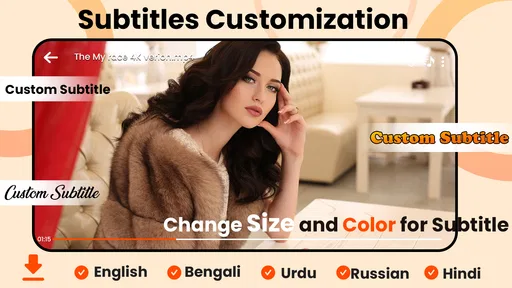
- Includes subtitle support for a better viewing experience.
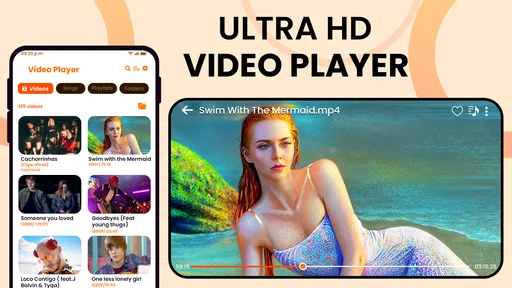
- Simple interface makes finding and playing media easy.
- Can play locally stored files without requiring an internet connection.
Limitations of HD Video Player & Media Player
- May display ads during use, depending on the app version.
- Some advanced features may require in-app purchases.
- Performance can vary on older or less powerful devices.
- Subtitle formatting may not work perfectly with every file.
- May use considerable storage and battery with high-resolution playback.
Other Releases by Infinity Tech Systems
View All
Digital Compass - GPS Compass
Travel & Local4.2

All Document Reader & Viewer
Productivity4.0

Screen Recorder | Video Rec
Video Players & Editors4.8
Similar Picks in This Category
View All
Google TV
Google LLC3.9

iTunes
Apple4.7

YouTube
Google LLC3.8

MX Player
Amazon Mobile LLC4.2

CapCut - Video Editor
Bytedance Pte. Ltd.3.5

PLAYit-All in One Video Player
PLAYIT TECHNOLOGY PTE. LTD.4.5
Frequently Asked Questions
What is HD Video Player & Media Player used for?
HD Video Player & Media Player is designed to play videos and other common media files directly on an Android or iOS device. After testing its basic playback functions, it feels most useful for watching locally stored movies, TV episodes, personal recordings, and downloaded clips. Depending on the version, it may also support playlists, subtitles, multiple video formats, screen rotation, playback controls, and background or floating playback.
Which video and audio formats does HD Video Player & Media Player support?
The application is intended to handle widely used formats such as MP4, MKV, AVI, MOV, WMV, and common audio files, although exact compatibility can vary by device and app version. Most standard videos opened without difficulty during testing, but unusual codecs, damaged files, or very high-resolution content may not play correctly. Checking the store description before downloading is recommended if you depend on a specific format.
Does HD Video Player & Media Player require an internet connection?
An internet connection is generally not required to play videos already saved on your device, which makes the app convenient for travel or areas with limited connectivity. Internet access may still be requested for advertisements, updates, analytics, cloud features, or online media sources, depending on the release. Users should also remember that streaming or downloading content through another service can consume mobile data.
Is HD Video Player & Media Player free to download and use?
The app may be available as a free download, but free versions commonly include advertising or optional in-app purchases. The core player functions can usually be tested without paying, while premium features may include ad removal, additional playback tools, enhanced subtitle controls, or a cleaner interface. Before installing, review the current store listing because pricing, subscriptions, and available features can change.
Is HD Video Player & Media Player safe and easy to use?
The player is relatively straightforward for everyday viewing: after granting permission to access media files, users can browse folders, select a video, and control playback with familiar buttons. Safety depends on downloading the official version from Google Play or the Apple App Store and reviewing its requested permissions. Avoid unofficial APK files, and check the privacy policy if you are concerned about media access or advertising data.
